How to make a bitcoin tip jar
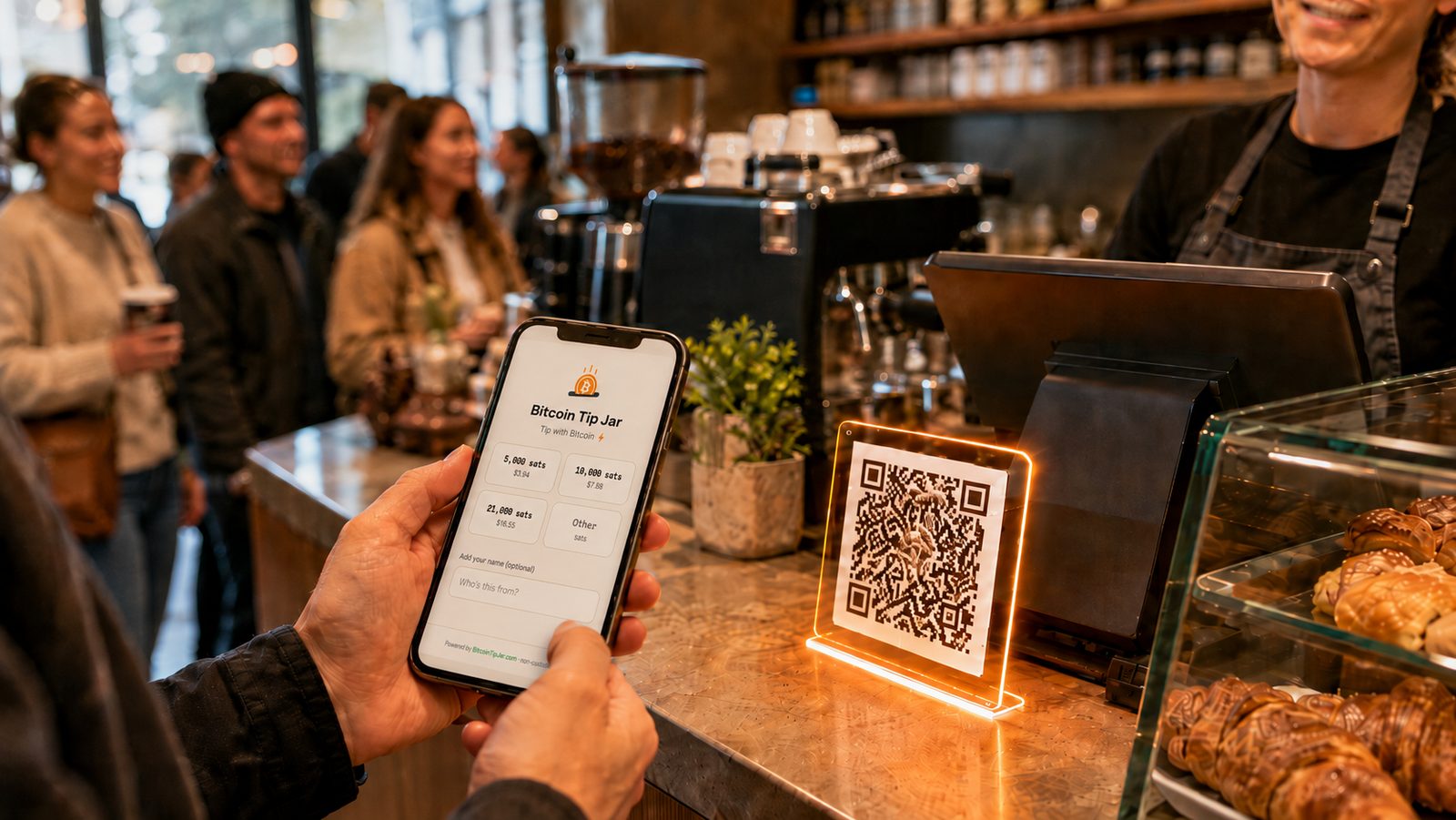
Dani cuts hair in a two-chair shop with a good coffee place next door. One of her regulars, a bloke who pays for everything in sats when he can, asked her last month whether he could tip in bitcoin. She said she'd look into it, which meant typing "bitcoin tip jar" into her phone that night and finding a guide from 2021 that wanted her to open a merchant account, a code repository that assumed she had a server, and a lot of advice about Twitter.
By his next appointment there was a small card on the mirror. He scanned it, tapped an amount, and the sats were in her wallet before she'd finished sweeping up. The whole job had taken her about ten minutes, most of it choosing a wallet. This is that ten minutes, written down.
What a bitcoin tip jar actually is
A bitcoin tip jar is a page in front of a Lightning address. The Lightning address is where the money lands. It looks like an email, something like dani@coinos.io, and any Lightning wallet can pay it. The page is everything around the payment: your name, a few amounts to tap, a box for the tipper's name, and a "Paid ✓" when the sats arrive. Nothing between the customer's wallet and yours holds the money.
You don't strictly need the page. You could print the address as a QR code and stick it on the mirror. We compared the two in Plain Lightning or bitcoin tip jar? The short version: a bare address hands the customer an empty amount box, and you never learn who tipped.
Three ways to make one
One thing to know before choosing: preset amounts are not part of a Lightning address. The address only tells a wallet the smallest and largest amount it will take, so the wallet draws an empty box. Presets live on a page in front of the address, and whoever gives you the page gives you the presets. Every page we know of asks for one of three things in return: you host it, you open an account, or you give up a percentage.
| Route | Preset amounts | What you run | Account | Cost |
|---|---|---|---|---|
| Lightning address as a QR code | No. The tipper types sats | Nothing | No | Free |
| BTCPay Server pay button | Fixed amounts only, no custom entry on the button | Your own server, or a third-party host | Your own install | Free software. A rented server is $10 to $70 a month |
| LNbits Tip Jar extension | No. An amount box, a name and a message | An LNbits instance | Your own install | Free software, plus hosting |
| Geyser project page | Rewards at set prices | Nothing | Yes | 5% of contributions, plus 0.2% on swaps |
| Coinsnap payment button | One set amount per button | An embed or a plugin | Yes | 1.25% of turnover, 1% with a partner code |
| Bitcoin Tip Jar | Your ladder, plus an Other tile | Nothing | No | Free. Pro is $50 once |
- Print your Lightning address as a QR code. Free, five minutes, works with any wallet. The customer gets an empty box in sats and no name on the screen, and you get a number in your wallet with nothing attached. Fine between friends.
- Run your own. BTCPay Server's pay button takes fixed amounts, and LNbits has a Tip Jar extension. Both are excellent if you already run a node or a server, neither is a ten-minute job if you don't, and the LNbits page hands the tipper the same empty box.
- Use a tip jar page. Paste your Lightning address, choose your amounts, print the poster. No account, nothing to install, nothing to host, and the tips still go straight from the customer's wallet to yours. This is the rest of the article.
Step 1: get a Lightning address
If your wallet already shows you something like you@walletname.com, you have one. Copy it.
If not, getting one takes a couple of minutes and costs nothing. The choice of wallet matters more than it looks, because a tip jar can only tell you a tip arrived if your wallet answers when the page asks. Wallets that do: coinos (works in the browser, no app store), Blink, Speed, Alby and Stacker News. With any of those the page shows Paid ✓ the moment a tip lands, tippers can put their name on it, and the jar keeps count. Wallet of Satoshi, Strike and ZBD receive tips perfectly well, but they don't confirm them, so those extras switch off quietly and your wallet is the only record. The wallet table is checked by our own probe and stays current.
Keep the wallet. It's where the tips live.
Step 2: paste the address and pick your amounts
Go to bitcointipjar.com, paste the address, and give the jar a name. Leave the name blank and it uses the one from your address.
Then choose the amounts. Every jar offers a short ladder of preset amounts in sats, each with its dollar value under it, plus an Other tile where people can type their own. Pick three or four. The smallest should feel like loose change next to your cheapest item, the largest like a generous round-up on your dearest, and the middle ones are where most tips will land. There's a whole article on this, with the taxi research behind it: why your bitcoin tip jar needs preset amounts. If you're unsure, start low. You can move them later.
Press the button and the jar is live. The whole thing lives in the link: no account, no database, nothing to activate.
Step 3: claim a short link
The link you just made carries your wallet address inside it, and it works as it is. But before you print anything, claim a short one: bitcointipjar.com/yourname. It's free, and it's the version that outlives your wallet. Change wallets next year and you change one setting; every poster, sticker and bio line you've put into the world keeps paying you. A printed Lightning address only works for as long as you keep that wallet.
Claiming asks for an email so it can send you your edit link. The edit link is the only way to change the jar later, so keep it. From the edit page you can change the amounts, swap the wallet, and pick up everything you need for the next step.
Step 4: put it where people pay
- On a counter, a mirror or a stall. Print the poster or the table tent (A4, print at 100%) and put it where people already pay. The sign does some of the asking: it says Tip with Bitcoin, shows the QR code, and explains the three steps to anyone who hasn't done this before.
- In a bio or show notes. One line with the short link. Anyone who finds you can tip you from there: a YouTube description, podcast show notes, the footer of a newsletter.
- On a website. A "Tip with Bitcoin" button that opens the tip page, or the whole card live on your page. Both are on the edit page, ready to paste wherever HTML goes.
- On a stream. The same QR code on an end card or in the corner of the overlay. It points at the same jar as everything else.
What the customer sees
They point their phone at the QR code, and any Lightning wallet opens the page: your name at the top, your amounts underneath with dollar values, a box for their name. They tap an amount, their wallet opens with it already filled in, and they confirm. On a wallet that confirms payments, the page says Paid ✓ on their screen a moment later. It takes about as long as tapping a card.
You see a tip land in your wallet. If the jar can confirm it, you also see who it was from and how many have come in.
What it costs, and what we never touch
Nothing. The page, the QR code, the poster and the table tent, the short link and the Paid ✓ are free, with no subscription and no percentage of tips. The money goes straight from the customer's wallet to yours: the page asks your wallet for an invoice and shows it, and we couldn't touch the sats if we wanted to. There's a one-time Pro upgrade for a venue that wants every tip listed with names, a CSV for the books, alerts on a screen behind the counter or split pay across staff, but the jar on Dani's mirror needs none of it. While the site is in early access, every jar made now stays free.
If you've got ten minutes and a Lightning address, you're most of the way there. The regular who asked is probably not the only one.
Sources: the table's facts are from BTCPay Server's apps FAQ and deployment guide; the LNbits Tip Jar donor page; Geyser's fees; Coinsnap's FAQ and payment button. All read on 21 September 2026. Fees and prices are theirs to change.